Download
Choose your browser and install in one click


Installation Steps
1
Click Install
Go to the browser extension store
2
Add to Browser
Confirm the installation
3
Allow Permissions
The extension needs access to save conversations
4
Start Using
Find the icon in your toolbar and click to open
Offline Installation Guide
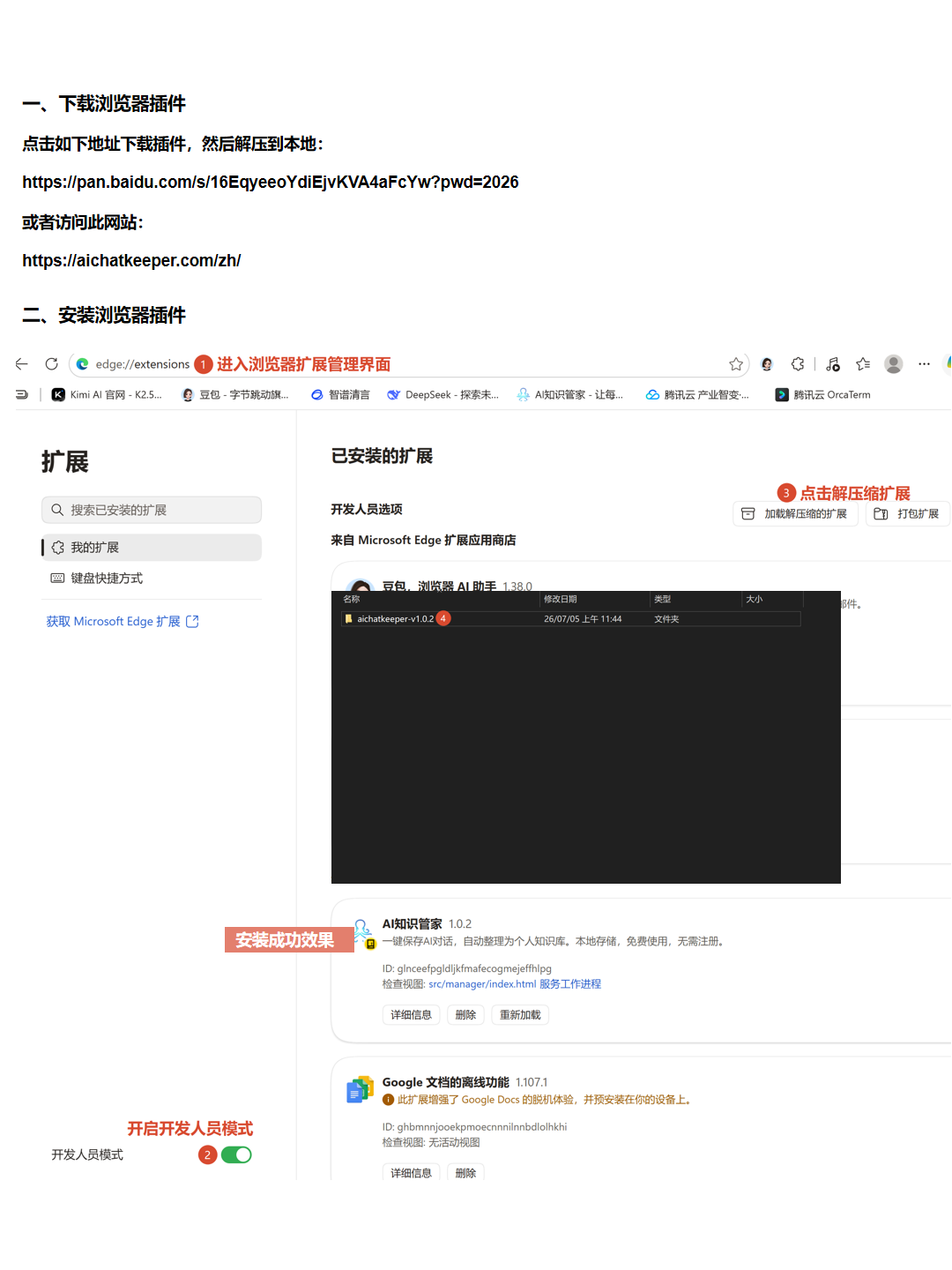
Step 1: Open extensions and enable developer mode
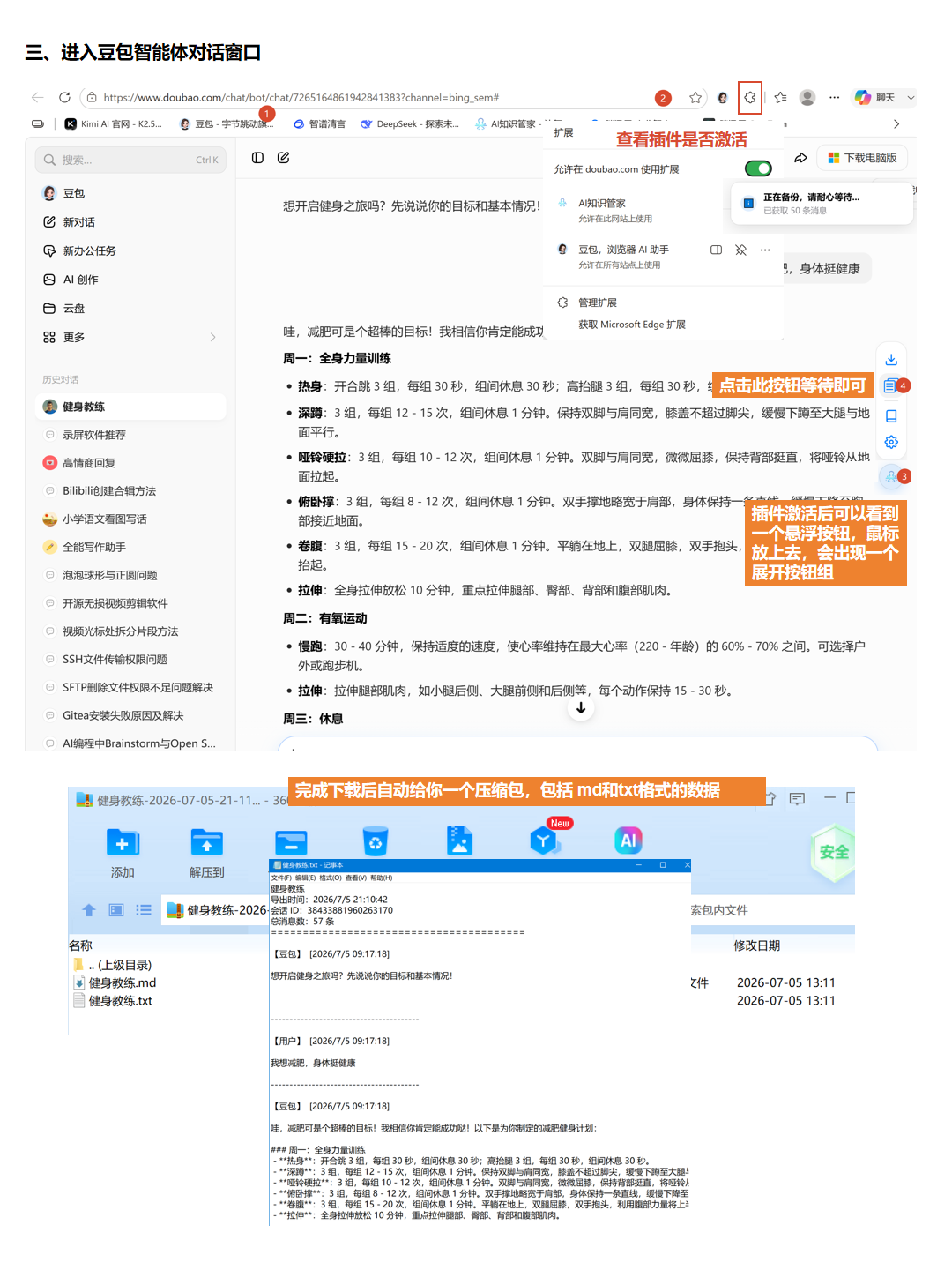
Step 2: Load the unpacked extension
Notes
- Desktop browsers only, mobile not supported
- Refresh open AI conversation pages after installation
- Check the user guide or FAQ if you need help